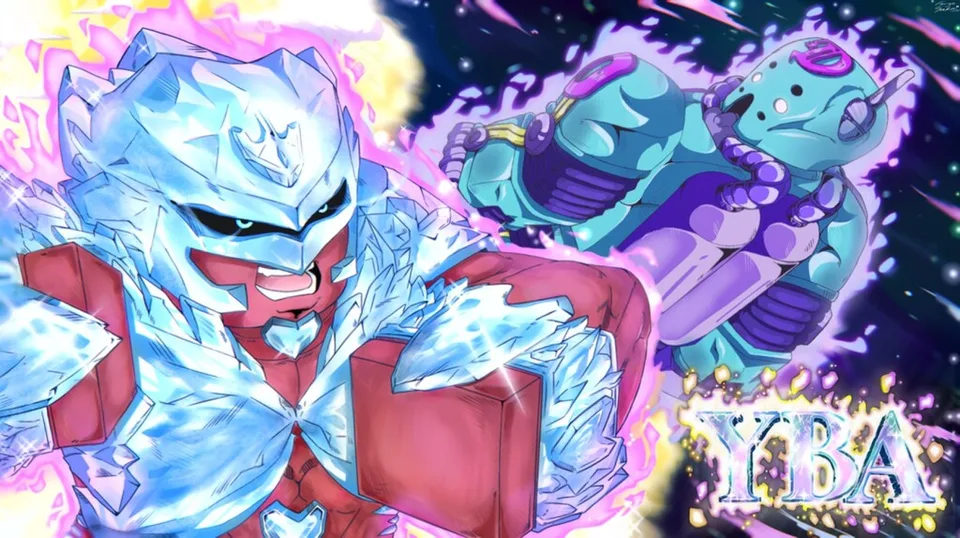
Is Your Bizarre Adventure Console Support Available? Guide
Discover the current status of Your Bizarre Adventure console support. Learn why this popular Roblox title remains PC-exclusive and how to optimize gameplay.
Published: Your Bizarre Adventure Wiki Editorial Team
Table of Contents
Are you a fan of JoJo’s Bizarre Adventure looking to dive into the Roblox hit Your Bizarre Adventure (YBA) on your television? You are likely searching for Your Bizarre Adventure console support, hoping to use a controller to dominate the battlefield. It is a common desire for many Roblox players who prefer the comfort of a console setup over a desk. However, before you go searching through your console’s store, it is important to understand the current reality of the game’s platform accessibility.
In this guide, we will break down the official status of Your Bizarre Adventure console compatibility, explain why the game functions the way it does, and provide you with essential tips to optimize your experience on the platform where the game actually lives. Whether you are a newcomer starting your first Prestige or a veteran looking for the latest meta, understanding these technical limitations is the first step to mastering the game.
Understanding Your Bizarre Adventure Console Status
The short answer for players hoping to play on a living room console is that the game is not currently configured for it. According to the official Roblox game page, the experience is marked as "Not Supported" for console devices. This means that even if you can navigate to the Roblox app on an Xbox or PlayStation, you will not be able to launch or play this specific title.
Many players often wonder why a game as popular as YBA would skip console support. The answer typically lies in the complexity of the user interface (UI) and the specific control requirements. Your Bizarre Adventure is an MMORPG that relies heavily on complex skill trees, inventory management, and rapid-fire keybinds for Stand abilities. Porting this to a controller requires a complete overhaul of the HUD and input mapping, which may not be the priority for developers at Bizarre Studios®.
Platform
Support Status
Notes
PC (Windows/Mac)
✅ Supported
Full keyboard and mouse support.
Mobile
⚠️ Limited
Officially listed as not supported in many contexts; performance may vary.
Console (Xbox/PS)
❌ Not Supported
Game engine and UI not configured for controllers.
While the lack of a Your Bizarre Adventure console version might be disappointing, it is a technical reality for many high-complexity Roblox games. The developers focus their resources on maintaining the game's core mechanics, such as the frequent updates to Stands and the balancing of PvP modes, rather than cross-platform porting.
Why Your Bizarre Adventure Remains PC-Exclusive
To understand why the Your Bizarre Adventure console dream remains unfulfilled, one must look at how the game is built. YBA is not a simple "press one button to win" experience. It is a game of precision, timing, and complex combos.
1. Complex Input Requirements
Unlike simple platformers or social games on Roblox, YBA features an intricate combat system. You have basic attacks, Stand-specific abilities, block mechanics, and dodge maneuvers. Mapping these to a standard controller layout is notoriously difficult. PC players utilize a wide array of keys (often remapped for efficiency), whereas a controller has a limited number of buttons. Trying to fit all these actions onto a D-pad and triggers often results in a clunky, unresponsive experience that the developers likely want to avoid.
2. UI and Menu Navigation
The game features a deep RPG system: skill trees, inventory management, and a complex UI for Stand summoning and arcade gambling. Navigating these menus with a virtual cursor on a console is significantly slower than with a mouse. Community reports suggest that the current UI design is heavily optimized for mouse-hover interactions, which do not translate well to the controller-based navigation found on consoles.
3. Developer Resource Allocation
As noted in recent community discussions and 2026 updates, the development team has been focused on content updates like the recent 1.8 patch, which introduced new Stands such as Crazy Diamond Requiem and Diver Down. When a development team is focused on gameplay balance, new assets, and bug fixes, the massive undertaking of porting a game to console—and subsequently maintaining it—often takes a backseat.
Maximizing Your PC Experience
Since you cannot currently play via a Your Bizarre Adventure console setup, the best way to enjoy the game is to optimize your PC environment. Many players struggle with the game's difficulty, but often it is simply a matter of settings and hardware configuration.
To get the most out of your YBA experience, consider these adjustments:
Keybind Customization: Do not rely on default keys if they feel uncomfortable. Many top players rebind their most-used Stand abilities to keys closer to their WASD movement fingers.
Graphic Settings: YBA can be visually demanding during intense PvP. Lower your graphics quality in the Roblox settings menu to ensure a consistent frame rate. A smooth 60 FPS is infinitely more valuable than high-quality shadows when you are trying to dodge a barrage or a time-stop ability.
The "Arcade" Strategy: Many players waste their time and currency at the arcade. Use your hard-earned cash wisely. If you are struggling with a specific Stand, focus on grinding for items rather than gambling, as RNG can be unforgiving.
Essential Combat Controls for YBA
If you are transitioning from console gaming to PC for YBA, here is a quick reference table to help you master the basics:
Action
Standard PC Key
Purpose
Move
W, A, S, D
General movement
Block
F
Essential for surviving barrages
Summon Stand
Q
Activates your primary ability
Dash
Ctrl
Essential for mobility and dodging
Heavy Attack
R
High damage, guard-breaking move
Community Insights: The Reality of YBA in 2026
The state of the game in 2026 is a hot topic. While some players express nostalgia for the game's "prime," others appreciate the continued updates under the current management. In the community, there is a recurring sentiment regarding the "false promises" of past updates, where certain Stands or features were hyped but delayed or canceled.
This context is important for anyone hoping for a Your Bizarre Adventure console release. If the community is already vocal about the pace of content updates, a request for a platform port is unlikely to be prioritized over the gameplay content that the active player base demands. The focus remains on the "meat" of the game: the Stands, the PvP, and the modes like Steel Ball Run.
Playing Steel Ball Run (SBR)
SBR is one of the most intense modes in the game. It is a chaotic mix of racing and combat. Because this mode requires extreme precision and quick reactions, playing on a console would likely put you at a significant disadvantage even if it were supported. PC players have the advantage of "flick" aiming and rapid key execution, which are crucial when you are trying to avoid teamers or survive the final circle.
Tip
Pro Tip for SBR: If you are playing SBR, do not try to fight everyone you see. The key to winning is often positioning and knowing when to use your Stand's defensive abilities. If you get cornered by a team, use your mobility moves (like dashes) to escape to a less crowded area.
Common Pitfalls and How to Avoid Them
When you are playing Your Bizarre Adventure, it is easy to fall into traps that make the game feel "broken" or "unfair." Avoiding these mistakes will make your experience much smoother, even without Your Bizarre Adventure console support.
Ignoring the Skill Tree: Many new players get their Stand and immediately rush into PvP. This is a mistake. Always invest your points into the skill tree first. A base Stand is significantly weaker than a fully upgraded one.
Over-relying on Teaming: While teaming is a part of the game's culture, relying on others to win will prevent you from learning the mechanics. If you want to get good, you need to learn how to 1v1.
Falling for "Scam" Trades: Always be careful in the trading hub. If a deal looks too good to be true, it almost certainly is.
FAQ: Your Bizarre Adventure Console and Gameplay
Here are the most common questions regarding the game's platform availability and general gameplay.
Is there any way to play Your Bizarre Adventure on console?
No. As of 2026, the game is marked as "Not Supported" for console devices on Roblox. You must use a PC to play the game effectively. There are no official workarounds or "console modes" that enable controller support for this specific title.
Will Your Bizarre Adventure console support ever come?
There has been no official announcement regarding console support. Given the complexity of the game's UI and combat system, it is unlikely to be a high priority for the developers at Bizarre Studios®. The focus remains on PC-based content updates.
Can I use a controller on PC to play YBA?
While you can technically connect a controller to your PC, the game is not designed to recognize controller inputs natively. You would need to use third-party software to map your controller buttons to keyboard keys. However, this is generally discouraged, as it often leads to clunky gameplay, input lag, and a significant disadvantage against keyboard-and-mouse players.
What is the best way to get better at YBA?
The best way to improve is to practice your combos in private servers and focus on learning the strengths and weaknesses of different Stands. Instead of worrying about Your Bizarre Adventure console compatibility, spend your time mastering the keyboard keybinds that allow for the fastest response times during combat.